Use direct invitations for collaboration and public visibility for inspiration or broad read-only sharing.
Invite a viewer or editor
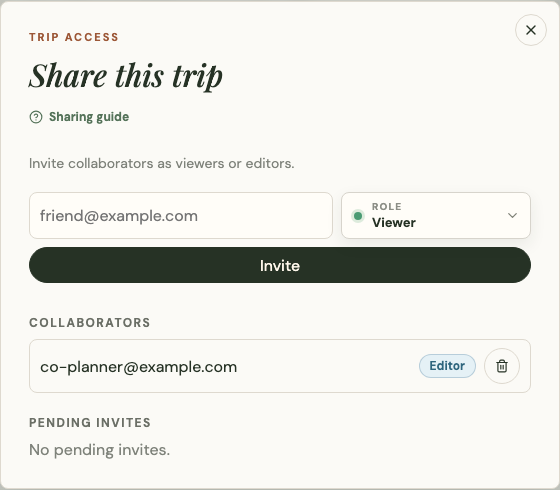
If you own the trip, open the share panel, enter the recipient's email, and choose an allowed role:
- Viewer can open the shared trip without editing it.
- Editor can change trip content but cannot grant more access than their role allows.
The recipient receives a branded invitation email. Platix records who sent the invitation, its recipient, intended role, status, and the resulting access relationship.
Manage pending invitations
Owners can cancel a pending invitation sent by mistake. Cancellation invalidates the invitation link. Platix does not send a second email merely to announce cancellation.

Share a public trip
Anyone who can view a public trip can share its public link. A non-owner can invite or notify another person only with public viewer-level access; they cannot grant editor privileges.
Use a direct day or stop link when the recipient should land on a specific part of the trip instead of the overview.
Publish safely
Before changing a private trip to public:
- Review titles, descriptions, days, and stop notes intended for public display.
- Review photos and videos for personal information.
- Remove sensitive information from public-facing text or media.
- Review booking references, costs, private notes, and chat.
- Confirm the visibility change.
The public trip does not include booking details, private chat, edit history, collaborator data, or other private planning records.
Make a public trip yours
Select Customize this trip to create a separate editable copy of a public trip. The original trip does not change. Choose a new name and start date before creating your copy.
A copied trip can never be put up for sale, however much you change it. If you intend to sell a route, build it as an original trip rather than starting from someone else's public trip. See List a trip for sale.