What you can sell
You can sell your own original trip, whether you wrote it in Platix or imported a guide you wrote with Import an itinerary. Importing creates a private trip first. Review and improve it, then choose to sell it as a separate step.
Forked trips can never be sold — however much you change one. If you started from someone else's public trip, the fork mechanism is for your own personal customization, not for commercial resale. To sell a route inspired by someone else's, build it as an original trip.
You must hold the rights needed to sell your original writing and any media you upload. Google Places photos already attached to places in your original trip may be used as live provider photos; they remain Google content and are not presented as your uploads.
Review where the stops came from
Before you publish, Publishing may show where the trip's stops came from: your itinerary, added by you, added or rewritten by Platix, or with no recorded origin. Nothing here stops a sale. Check the stops it lists and confirm them once. If stops Platix added change later, it asks again. Your own edits don't.
Publishing also raises a few things for you to answer:
- A possible booking reference, such as a confirmation number. Remove it in the trip, or select This isn't a reservation reference. Either clears it.
- Card numbers, keys or ID numbers. A trip that contains one can't be sold until you remove it.
- Stops without a map pin. They're sold as text with no pin, unless you choose their places first.
Affiliate links and promo codes
You can keep your own affiliate or referral links and promo codes in a trip you sell. Label each one where it appears, for example "(affiliate link)" or "my code, I earn a commission", so buyers know you may earn from it. If a business you recommend gave you something, such as a free stay or a sponsored tour, say so too.
Check each program's rules first. Some don't allow their links in paid products, PDFs, or email, and your links go into buyers' copies, PDF downloads, and calendar files.
Platix never changes your links or adds its own, and takes no share of what you earn. See Section 12 of the Terms of Service.
Set up the product
Your creator profile must be complete and public before a premium trip can accept new sales. It remains public for as long as you are an active creator; it cannot be hidden as a separate visibility preference. If you want to stop taking orders, pause the listing without hiding your identity. To take the creator profile offline, use Leave creator program in Creator Studio settings. That deliberate offboarding action stops new paid work while preserving completed purchases, buyer access, required attribution, and financial records.
- Open the trip and go to its settings.
- Select Sell this trip.
- Enter a price in dollars. Platix suggests $19 to $79 as a starting range, depending on the trip's depth and specificity.
- Select Set up in Creator Studio.
- In Offer, set the title buyers see, trip summary, cover, public highlights, What you'll get, and price.
- In Publishing, confirm your rights, review the offer, and publish release 1.
The seller terms are part of the Platix Terms of Service you've already accepted, so there's nothing separate to accept before you publish. If Platix updates its Terms after you review an offer, the Publishing tab asks you to Review offer again before you publish.
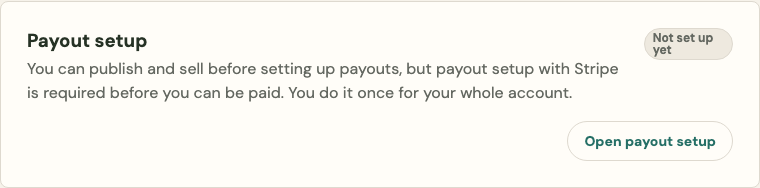
You can publish and sell before you set up payouts; your earnings wait until you do. The Publishing tab shows your payout setup status, and Open payout setup takes you to Earnings. Only if payouts are paused on your account (for example, Stripe declined it, or Platix is reviewing it) does the trip stop taking new purchases; existing buyers keep their trips.
Creating the product does not put an unfinished draft on sale. The original trip becomes its private editable master. The public premium page appears only after you explicitly publish the complete offer.
The cover picker includes photos you uploaded and Google Places photos already present in the creator trip. Uploaded photos are copied into the immutable release and buyer delivery. A Google cover stores only its Place ID and selected photo position, then asks Google for a current photo whenever it is shown. Google may return a different photo later; Platix refreshes the image and attribution rather than preserving or rehosting Google's image bytes.
What buyers see before paying
Creator Studio shows the exact buyer-facing offer before publication. It includes the title, trip summary, cover, price, public-highlight pills, and What you'll get pills. The public premium page also shows the itinerary preview and the timestamp of its current published release.
The page is credited to you: your name and tagline under the title, an About section with your bio, specialties, and links, and your Day 1 notes signed as yours, in your accent color if you chose one. Every buyer's copy says which of your premium trips it came from. See Make your creator page yours.
Make the preview genuinely useful, but do not expose paid notes, private planning context, or anything you do not have the right to distribute.
Keep editing after sales
Your private master remains editable. Buyers do not read that live draft: every purchase receives a separate private trip made from the release that was active at checkout.
Uploaded itinerary media is copied into that private trip. Supported Google Places media is carried as a live provider selection and refreshed from Google when displayed. Other linked or externally hosted images are omitted unless they have been uploaded to Platix with the necessary rights.
When you are ready to change what future buyers receive, publish a new immutable release. Existing buyer trips do not change underneath them. If the listing already has buyers, add a concise release note explaining the important change.
You can also:
- Save unpublished itinerary and offer changes
- Change the price for future checkouts
- Pause or stop selling
- Duplicate the product as an independent variant
Changing your mind
Change the price and publish the commercial change — it applies to future checkouts only; nobody is charged again or refunded a difference.
Stop selling any time. Existing buyers keep permanent access; that is part of what they bought. The trip stops being offered to anyone new.
Premium trips require a positive price. If you want to share a trip for free, publish it as a regular public trip instead of a premium product.