Your creator page, your premium trips, and everything you publish carry your name and your brand, not just Platix's. Travelers see who made the trip, follow you, and find the rest of your work.
Set up your brand
- Open Creator Studio > Public profile.
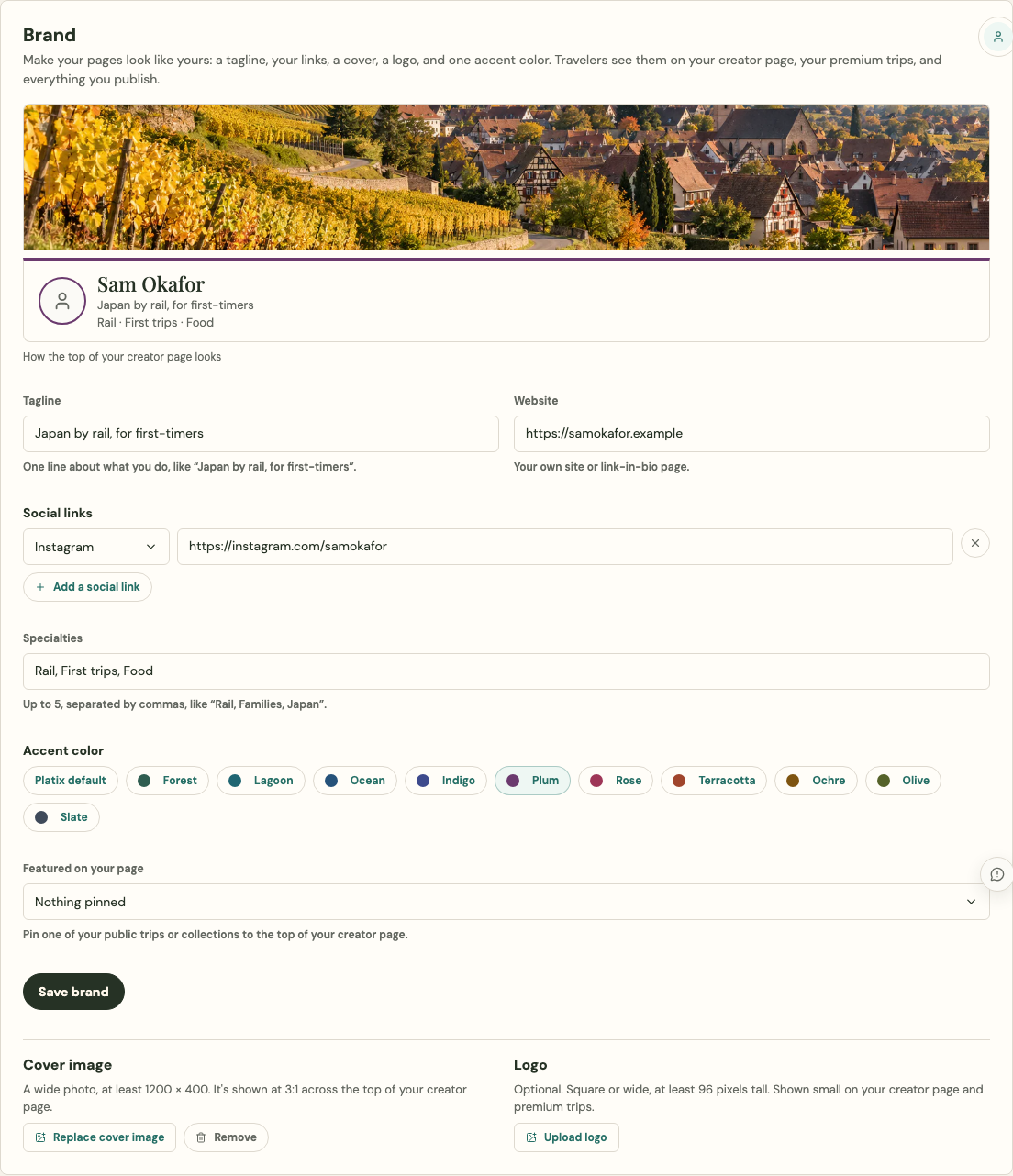
- In Brand, add any of these. All are optional:
- Tagline: one line about what you do, like "Japan by rail, for first-timers". It appears above your name.
- Website and up to four social links (Instagram, YouTube, TikTok, Pinterest, Substack, X, Facebook, Threads).
- Specialties: up to five, separated by commas.
- Accent color: one of ten colors chosen to stay readable on Platix pages, or the Platix default.
- Featured on your page: one of your public trips or collections, pinned to the top of your creator page.
- Watch the preview at the top of the card, then select Save brand.
- Upload a Cover image (a wide photo, shown at 3:1 across the top of your page) and, if you have one, a Logo. Images upload as soon as you choose them.
Where your brand appears
- Your creator page (
/creators/your-handle): your cover, tagline, links, specialties, and accent color, then your featured item, your premium trips, and everything else you've published. On a phone it works as a link-in-bio page. - Your premium trips: "A premium trip by" with your name under the title, an About section with your bio and links, and your Day 1 notes signed "Note from" you.
- Your public trips and collections: a "Trip by" or "Collection by" credit with a Follow button, and your notes signed as yours.
- A buyer's copy: every trip a buyer receives says which of your premium trips it came from, with a link to your page.
- Shared links: the preview image for your public trips and collections includes "by" your name in your accent color.
Rules for images and links
- Upload images you have the rights to use. Images must be JPEG, PNG, WebP, or HEIC, up to 8 MB. SVG files aren't accepted.
- Links must be full
https://addresses, and each social link must be on that site. - Only your current cover and logo are public, and only while your creator page is public. When you replace or remove one, the old image stops showing right away.
Leaving it plain
Everything in Brand is optional. Without it, your pages use Platix's own colors and layout, with your name, photo, and bio as before.