Selling requires a creator account. While Platix is small, every creator is approved by hand — we read applications individually.
What we look for
- A public profile — a social account, blog, or portfolio showing your travel writing or photography
- A published public Platix trip, when you already have one, so we can see how you plan
- Real first-hand knowledge of the places you intend to sell
Founding-pilot applicants can apply before publishing their first Platix trip and build it with us during concierge onboarding. We are looking for people who have actually travelled the routes they write, and who would be embarrassed to recommend a bad restaurant. Follower count matters less than that.
Apply
- Open Sell your travel itineraries.
- Select Apply to become a creator.
- Sign in or create an account. Platix opens the application in Creator studio.
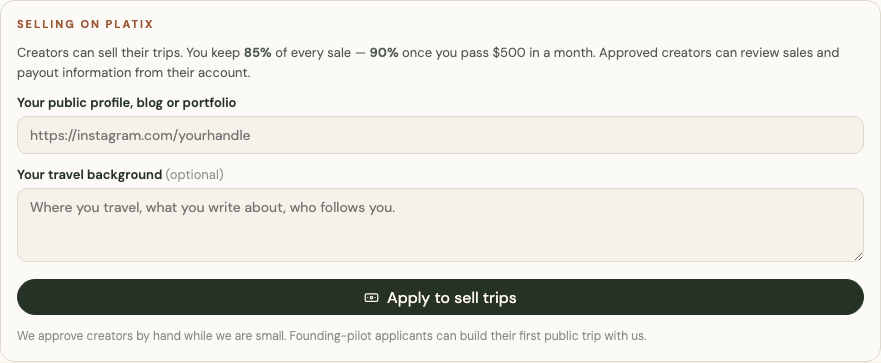
- Add the link to your public profile, blog, or portfolio.
- Optionally describe your travel background — where you travel, what you write about, who follows you.
- Select Apply to sell trips.
The card then shows that your application was received. Return to Creator studio from the account menu to check its status.
After approval
Earnings appear inside Creator studio, and eligible original trips gain a Sell this trip option in their settings.
If the application has remained pending for a while, email support@platix.io from the address on your account.