The seller terms are the part of the Platix Terms of Service that covers selling premium trips and paid Human Trip Reviews: what you may sell, your share, payouts, refunds, and taxes. You accept them once for your whole creator account, not once per trip.
Read and accept them
- Open Creator Studio > Settings.
- In Seller terms, select Read the seller terms. The current version opens in a new tab, with its version and effective date shown on the card.
- Check I have read and agree to the current seller terms.
- Select Accept seller terms.
The card then shows Accepted and the date. Platix records the exact version you accepted.
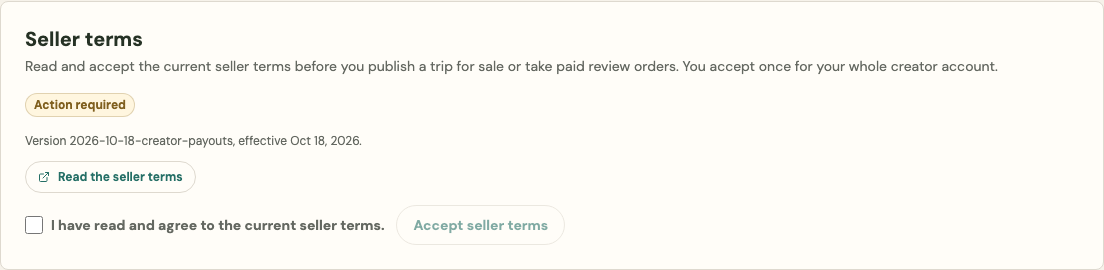
You don't need a listing first. Accept them whenever you're ready, and before you review a premium trip for publishing.
What the status means
- Accepted: you accepted the current version. Nothing to do until Platix publishes a new one.
- Action required: there's a current version you haven't accepted yet. Accept it in Settings before you review a premium trip for publishing.
- Not available: Platix hasn't published seller terms for acceptance yet. You can keep preparing trips and offers.
A premium trip's Publishing tab shows the same status. Select Manage seller terms to go to Settings.
When the terms change
When Platix publishes a new version, your status returns to Action required until you accept it. Your earlier acceptance stays on record.
Existing sales aren't affected. Buyers keep the trips they bought, and earnings you already made are paid under the terms that applied to them.
Your buyers' contact details
The seller terms also cover your buyers' names and emails: contact buyers only about their trip and your own travel content, include an unsubscribe link, and never sell or share the list. See Your buyers' contact details.
Reviewer terms are separate
If you review trips, you also accept the Human Trip Review reviewer terms in Creator Studio > Trip reviews. They cover the review service itself.