Days give the itinerary its structure and provide the locations used to draw the trip overview route.
Add a day
- Open a trip you can edit and select Add day.
- Review the prefilled Overnight stay and the available date, country, and subtitle fields.
- Keep or replace the overnight stay; it cannot be empty.
- Submit the dialog and wait for saving to finish.
The day appears optimistically while Platix saves it. If saving fails, the previous itinerary is restored and an error explains what happened. After a successful save, the new day and its initial stop are ready to edit. The initial stop begins at approximately 8:00 AM.
New days begin with zero distance. Route calculations can update distance after meaningful locations are added.
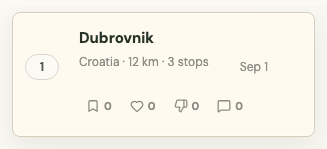

Edit day details
Open a day and edit its title, country or region, overnight location, and date-related details. Saving a day edit updates only the fields that changed; it does not replace the entire trip.
The overview route uses the accommodation stop as the day anchor when one exists. If the day has no accommodation, it uses the last located stop. The overnight location is a final fallback.
Reorder days
Drag a day by its move handle and drop it in the intended position. The new order stays visible while Platix saves it, and day numbers are updated together.
Reordering a day also changes its date relative to the trip start date.
Delete a day
Select the day delete action and confirm before deletion. Deleting a day also removes its stops and media attached to those stops, so review it before confirming.
Keep your place in a long trip
When you open a day and return to the trip overview, Platix preserves the focused day in the left list instead of returning to Day 1. This is especially useful on longer itineraries.