Use invitations for controlled collaboration and public links for broad read-only sharing.
Invite a viewer or editor
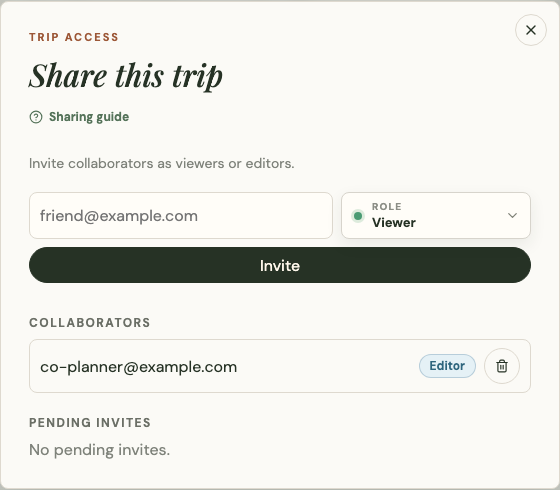
If you own a collection, open the share icon in the top bar or the share section in collection settings. Enter the recipient's email and choose:
- Viewer to let the person open the collection without editing it.
- Editor to let the person change collection content.
Platix records the sender, recipient, requested role, invitation status, and resulting access relationship. Owners can cancel a pending invitation sent by mistake.
Share a public collection
Signed-in owners use the invitation flow when they need controlled access. A person who does not own the public collection can share its public link or grant only viewer-level access; they cannot create an editor.
Public visitors can copy the link or use their device's share menu without creating an account.
Publish safely
Public visibility makes the title, description, places, shared media, and creator attribution available to anyone. Public viewers do not receive private collaboration records, edit history, or owner-only controls.
Review the collection before publishing, especially descriptions and uploaded photos. Change it back to private when it is no longer intended for public discovery.
Fork a public collection
Forking creates a separate collection. Choose its name and visibility in the fork dialog. Changes to the fork do not change the original.
Social actions
Signed-in users can like, bookmark, and comment on public collections where those controls are available. These actions do not grant edit access and do not change the source collection.