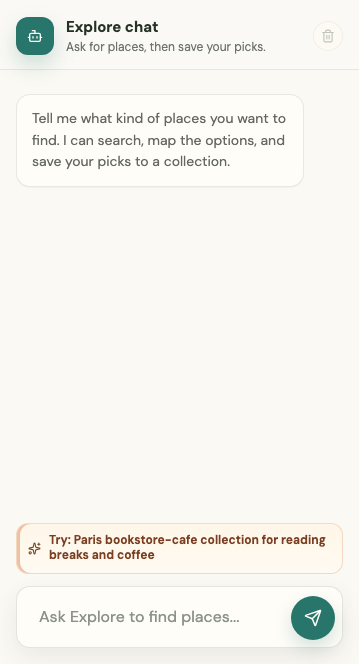
Explore chat helps find and evaluate places in the context of the collection and map you are currently using.
Sign in for place discovery
Sign in to search for places through Explore chat and save them to your collections. This keeps planning conversations connected to the correct account and collection.
You can still type a product-help question while signed out, such as "How do I create a collection?" The assistant can explain the workflow and link to Help. A help answer does not grant access to private collections or perform a signed-in action for you.
Understand chat context
Each collection has its own conversation. Bucket List is also private to the signed-in account, so its messages and places are not shared with another user.
The assistant can use:
- The selected collection and its saved places
- The visible map area
- The place currently being discussed
- The current conversation
Switching collections switches threads. Returning to a collection restores that collection's recent conversation.
Ask useful questions
Ask for places near the visible map, compare saved options, or request an introduction to the area. Include constraints such as neighborhood, budget, dietary needs, mobility, or time of day.
Suggested place pills open the map result and place details. Review the result before saving it; an assistant suggestion is not a reservation or a guarantee that details are current.
Manage a conversation
You can delete an Explore chat thread when you no longer need it. Inspiration prompts remain visible until you start typing a new message, even when an older thread has loaded.