PlatixYour trip planner

Existing itinerary

Bring an itinerary you already have.

Start with notes, a rough plan, or a supported article link. Review the extracted days and activities, then turn the outline into a structured trip you can keep editing and share.

From source to workspace

The source gives you a start. The workspace makes it usable.

Importing is useful when you already have planning material but need the plan to become editable days, places, maps, and reviewable details.

  1. 01Read

    Start with notes, a text file, or a supported article link.

  2. 02Review

    Inspect the extracted days, cities, and stops.

  3. 03Edit

    Add, remove, or drag days and stops into order in one outline.

  4. 04Build

    Create the trip and let Platix open it when it is ready.

What import gives you

A draft you can inspect, not a document you must re-read.

Follow a real import from reading the source through reviewing one editable outline and building the itinerary.

01 / Read the source

Start with the plan you already have.

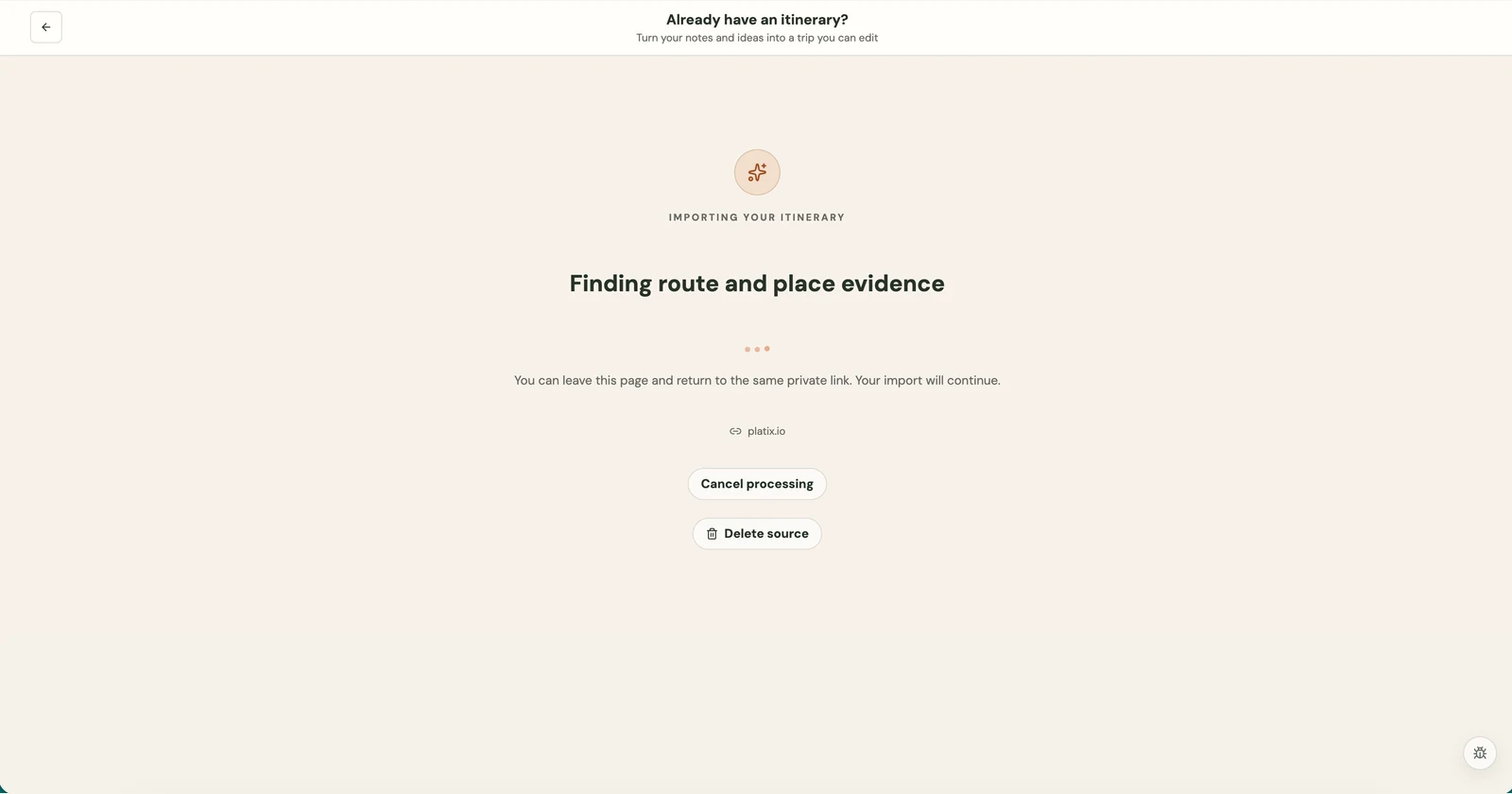
Paste travel notes, upload a supported text file, or import a supported public article link. Platix reads the source for route and place information before you decide what to build.

  • Notes or text files
  • Supported article links
  • Visible processing status
Itinerary import in progress, finding route and place evidence from a Platix article.
Reading the source. This is the import progress screen, not a finished itinerary.

02 / Review the outline

See what Platix extracted.

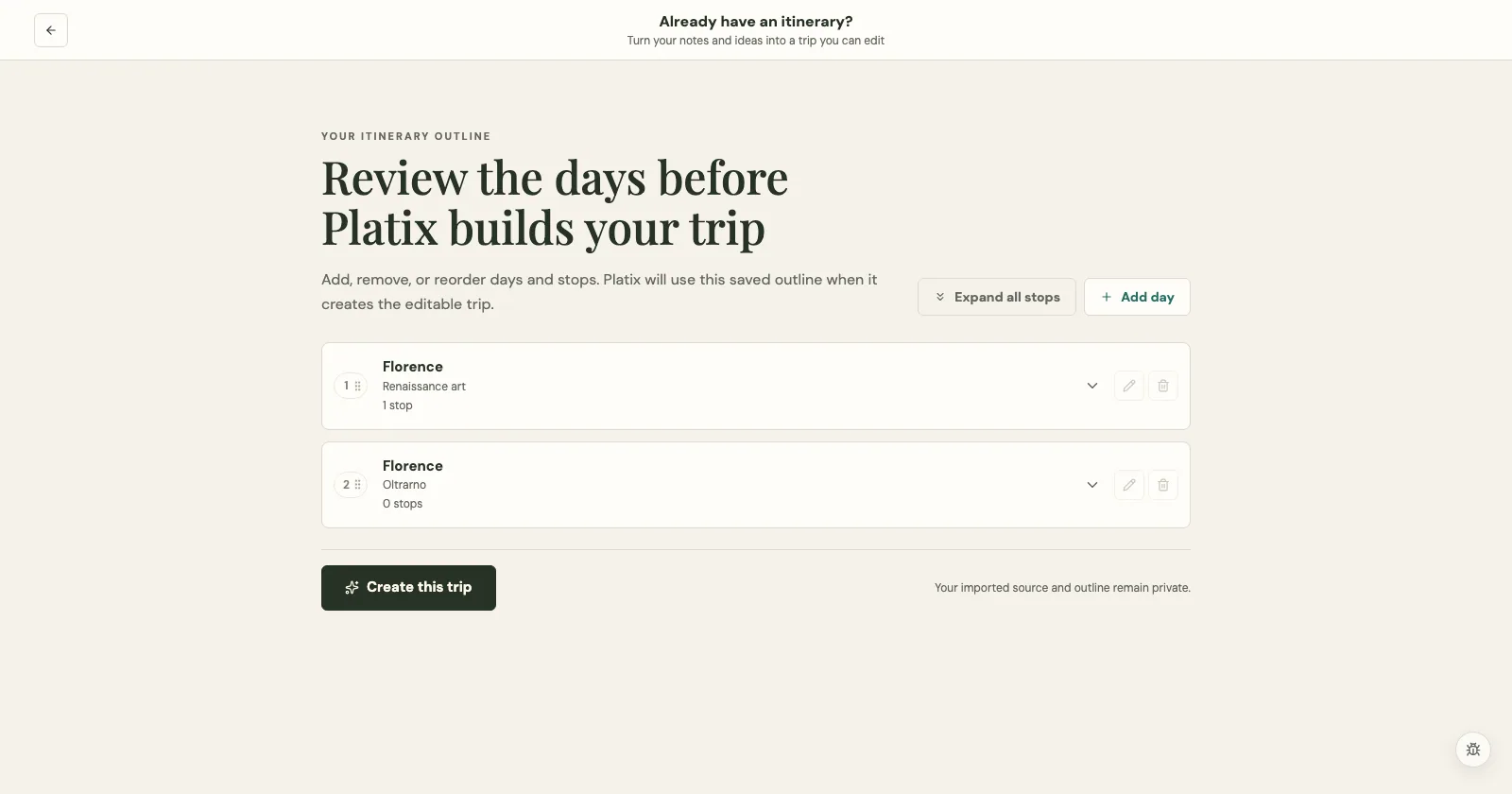
Platix chooses a balanced starting point and lays out the extracted days, cities, and regions. Days stay collapsed for an easy route scan; open one to inspect the stops assigned to it.

  • Day-by-day outline
  • Extracted cities and regions
  • Stops within each day
A source-informed day-by-day itinerary outline for a Europe road trip.
The current import flow opens one editable outline instead of asking you to compare planning modes.

03 / Edit before building

Shape the days in one place.

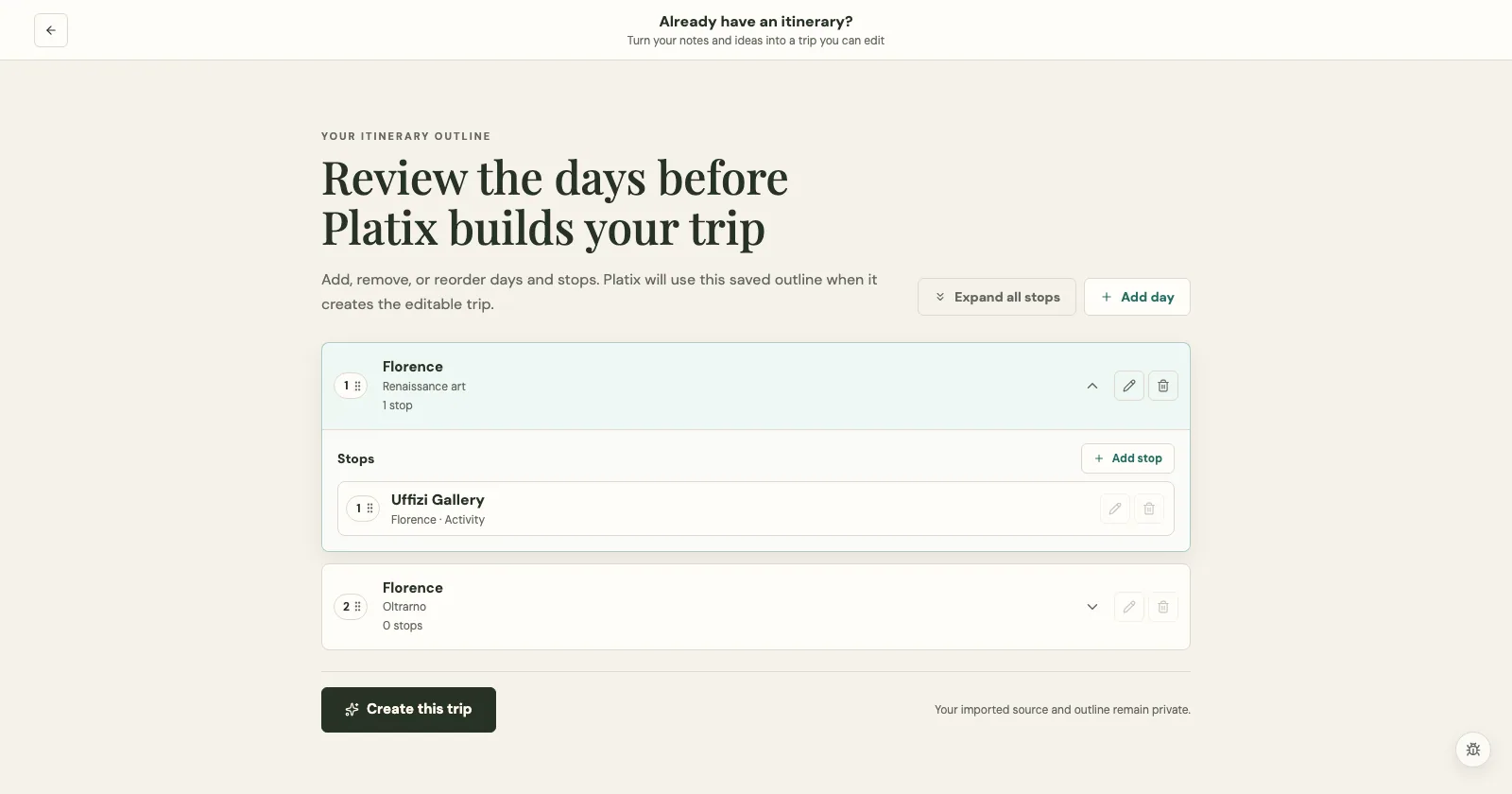
Add or remove days, then drag the numbered handles to reorder them. Open any day to add, edit, remove, or drag its stops, or use the single control to expand every day at once.

  • Drag days into order
  • Expand stops when needed
  • Edit before generation
Editable imported itinerary with drag handles and day and stop controls.
All structural editing happens in the outline before generation begins.

04 / Build your trip

Turn your selection into a trip.

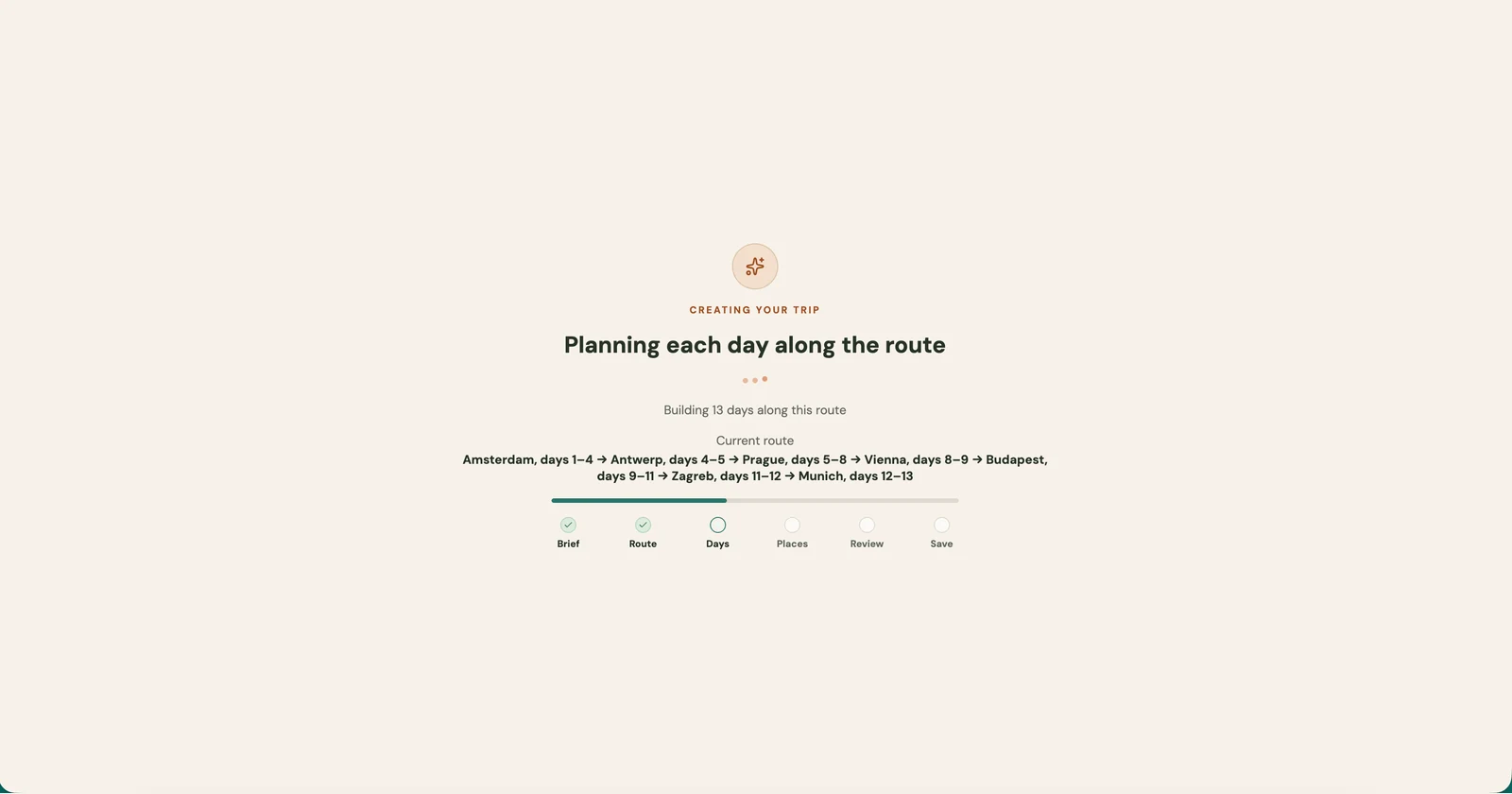
Select Create this trip and follow the planning progress while Platix builds the itinerary. The finished private trip opens automatically so you can inspect the map and keep refining the draft.

  • Create from the saved outline
  • Follow planning progress
  • Open automatically when ready
Trip generation in progress for a 13-day Europe route, with Brief and Route complete and Days being planned.
Planning in progress before the finished trip opens automatically. The route shown belongs to this example.

Keep shaping the trip after import.

The finished draft opens in your trip workspace. Inspect the route, move stops, add missing details, and check the plan before sharing it. The progress screen above shows the build, not the finished result.

Good for

When the plan exists, but the workflow does not.

Questions

How itinerary import fits with trip planning.

What can I import?

You can paste travel notes, a copied itinerary, or a rough route; upload a supported text file such as TXT, Markdown, VTT, or SRT; or use an article link when that option is available. Clear place names, day labels, and dates usually produce a better starting point.

Can Platix import any website link?

No. Article import reads supported public web pages. It does not sign in to websites, bypass paywalls, or follow every link on a site. Some pages cannot be read, including pages that depend on JavaScript to display their content. If a link cannot be imported, paste the relevant text you have permission to use instead.

Can I choose what goes into the trip?

Yes. Review the extracted day outline before generation. You can add, remove, edit, or drag days into order, then open a day to do the same with its stops. Review the finished draft too: source information can be incomplete, and not every request may fit the available time.

Does importing an itinerary book anything?

No. Importing creates an editable trip draft in Platix. You still need to confirm reservations, opening hours, prices, transit schedules, and availability with the relevant provider.

Can I change the imported trip afterward?

Yes. The imported itinerary opens in the normal trip workspace, so you can add or remove days, reorder stops, edit places, add photos, run trip review, and invite collaborators.

Is an imported itinerary public?

Imported trips start as private drafts. You decide later whether to invite people or change the trip's visibility. Importing a public article does not make your resulting trip public.

Start from the source

Bring the source. Make the trip yours.

Import an itinerary Start with a prompt instead